rocket_launch LAUNCH WEB APP
auto_awesome AI Thumbnail Generator + Grader for Creators

Thumbnails that
get clicked.

Describe your video and let AI generate scroll-stopping thumbnails. Grade clickability 0–100, A/B compare variants, and share everywhere.

★★★★★ Built for YouTube • TikTok • Instagram
rocket_launch LAUNCH WEB APP ANDROID APP
Free Starter: 2 generations • 5 gradings • 2 comparisons
No credit card required • Google Sign-In • No auto-renewal passes
verified_user Secure Firebase Auth
bolt Scores in seconds
psychology Gemini + GPT image AI
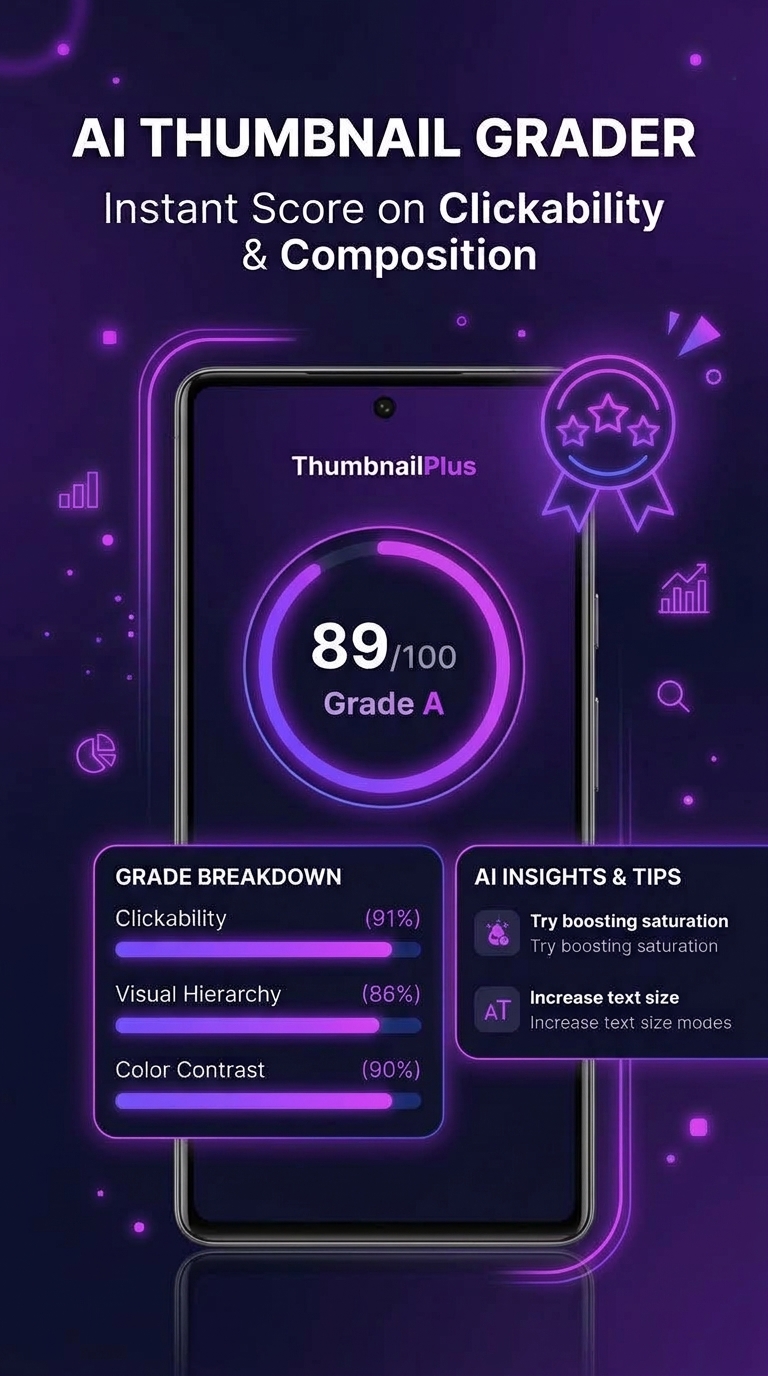
94
CLICKABILITY 94/100
AI graded • Top tier

ThumbnailPlus AI generation screen
local_fire_department
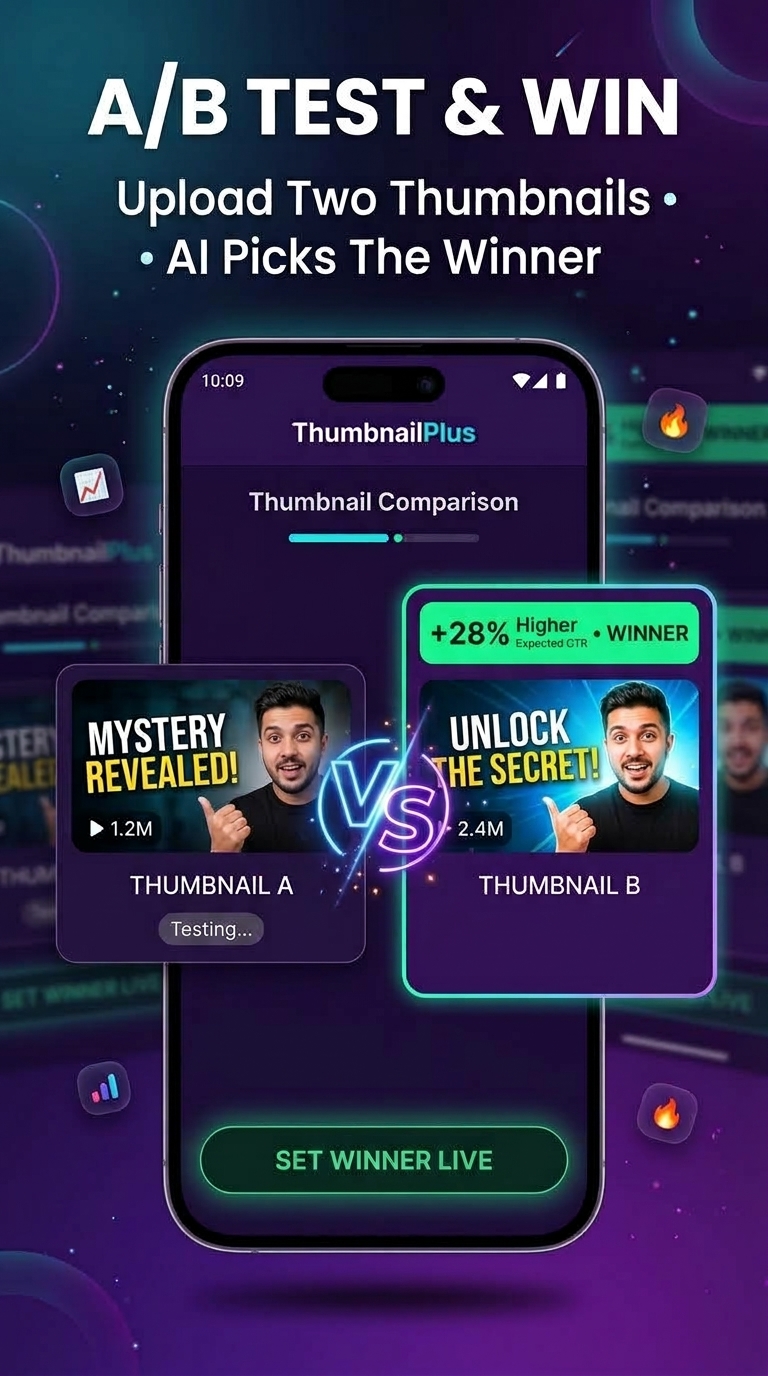
A/B WINNER: VARIANT B
Side-by-side AI verdict
Generate • Grade • Compare

Everything you need to go viral

Not a template pack. ThumbnailPlus generates, scores, and compares real thumbnail concepts with frontier image AI.

auto_awesome

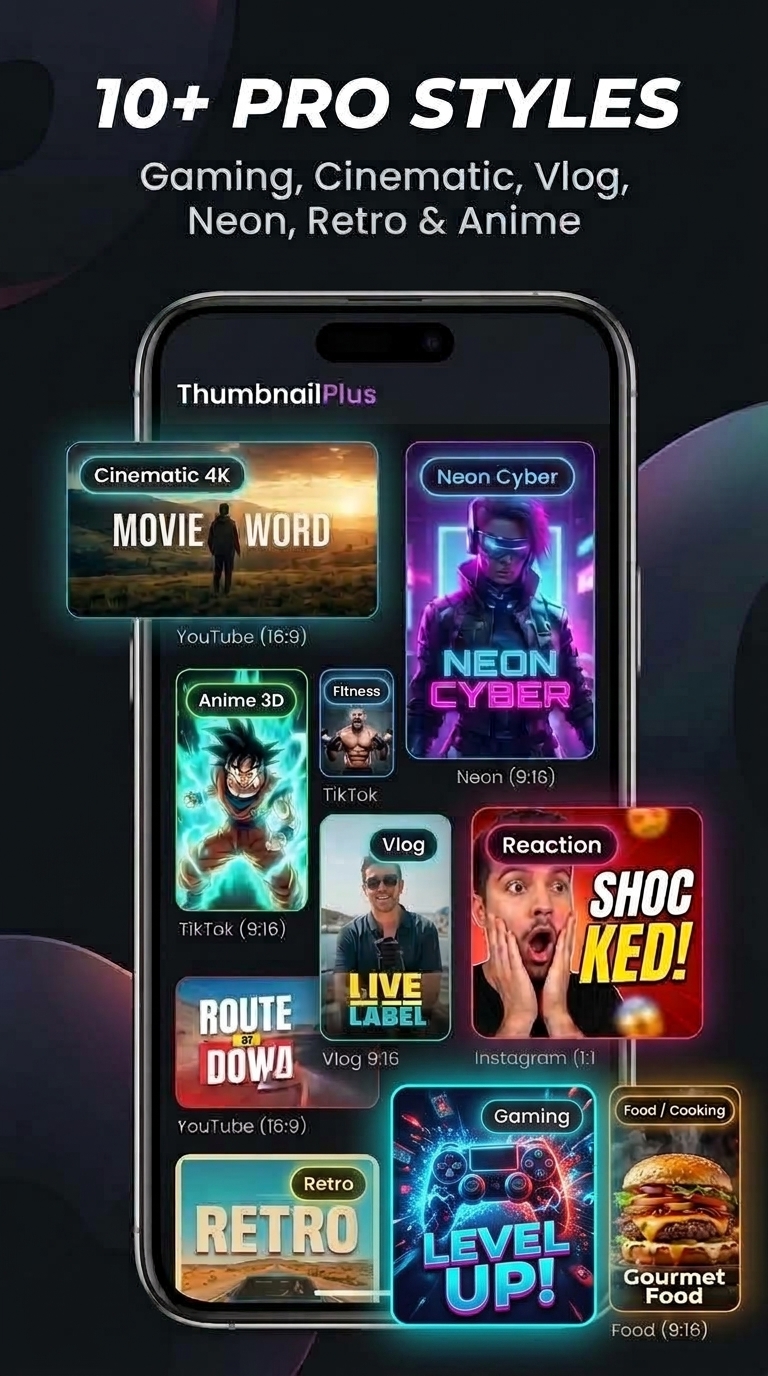
AI Generation

Describe your video and get scroll-stopping concepts in 10+ styles — gaming, vlog, cinematic, minimalist and more.

10+ Styles Custom Profiles
speed

Clickability Score 0–100

Upload any thumbnail and get an instant score with breakdowns — contrast, faces, text, curiosity gap — plus fixes.

0–100 Score Fix Checklist
compare

A/B Compare

Pit two variants side-by-side. AI declares a winner with reasoning so you publish the stronger one every time.

Side-by-side AI Verdict
share

Gallery & Sharing

Every generation lives in your gallery. One-tap share scorecards and comparisons to TikTok, Instagram and more.

History Multi-platform
From idea to upload in minutes

How It Works

Three steps between you and a thumbnail worth clicking.

01

Describe or upload

Type what your video is about and pick a style — or upload an existing thumbnail you want graded or compared.

02

AI generates & scores

Frontier image + vision models render concepts and score clickability 0–100 with concrete, fixable feedback.

03

Compare, save & share

A/B test the finalists, keep winners in your gallery, and share scorecards that flex your creator workflow.

Actual in-app screens

Designed for creators, fast by default

TRY IT NOW
← Scroll or drag to explore actual in-app screens →
One-time passes • No auto-renewal

Simple passes, serious output

Prepaid 1-Month or 1-Year passes. No subscriptions, no surprise rebills. Paid via Razorpay in your local currency.

Prices in USD
Starter
Free
Once-in-a-lifetime trial
  • ✓ 2 AI generations
  • ✓ 5 clickability gradings
  • ✓ 2 A/B comparisons
  • • Watermarked exports
START FREE
MOST POPULAR
Creator
$59.99 /year
$5.00/mo effective • billed yearly
SAVE 37% vs MONTHLY
  • ✓ 25 AI generations / 30 days
  • ✓ 60 gradings / 30 days
  • ✓ 15 comparisons / 30 days
  • ✓ Watermark-free exports
GET CREATOR
Pro
$199.99 /year
$16.67/mo effective • billed yearly
SAVE 17% vs MONTHLY
  • ✓ 50 AI generations / 30 days
  • ✓ 100 gradings / 30 days
  • ✓ 25 comparisons / 30 days
  • ✓ 10 custom style profiles
GO PRO
All payments are final and non-refundable (AI compute is consumed instantly). See Refund Policy before purchasing.
Got Questions?

Frequently Asked Questions

How is the clickability score calculated? expand_more

Vision AI inspects contrast, facial presence, text legibility, composition, and curiosity gap, then returns a 0–100 score with a fix checklist. Scores are indicative estimates — they don't guarantee CTR or video performance.

What do I get for free? expand_more

Every account gets a once-in-a-lifetime Starter trial: 2 AI generations, 5 gradings, and 2 comparisons with watermarked exports. No credit card required — just sign in with Google.

How do passes & billing work? expand_more

Creator and Pro are prepaid 1-Month (30 days) or 1-Year (365 days) passes with monthly quota resets. They never auto-renew — buy again only when you need it. Checkout is handled by Razorpay in INR, USD, EUR, GBP, AUD, and CAD.

Who owns the thumbnails I generate? expand_more

You do, subject to your pass terms. Free-tier exports carry a watermark; paid passes export watermark-free. AI output is provided as-is and may resemble existing content — review it before publishing.

How do I delete my account and data? expand_more

In the app: Settings → Edit Profile → Delete Account & Data → Delete Permanently. This removes your thumbnails, profile, and auth account. Details and email fallback are on our account deletion page.

Web, Android, iOS — where can I use it? expand_more

ThumbnailPlus runs as a full web app at thumbnailplus.com today, with an Android app rolling out (package com.fantrow.thumbnailplus). One Google account works everywhere.

ThumbnailPlus Logo

Stop blending in.
Start getting clicked.

Join creators generating, grading, and A/B testing thumbnails with AI — free Starter credits included.

rocket_launch LAUNCH WEB APP
Web • Android • Google Sign-In • Free Starter • No Auto-Renewal Passes
ThumbnailPlus Icon
ThumbnailPlus
Free Starter • Web + Android
LAUNCH